
We’ve rolled out a series of updates in Drake Portals® designed to make your day-to-day workflow smoother, faster, and more intuitive. From improved navigation to enhanced file management, every change is focused on helping you work more efficiently and stay organized with little to no manual effort.
Streamlined Navigation
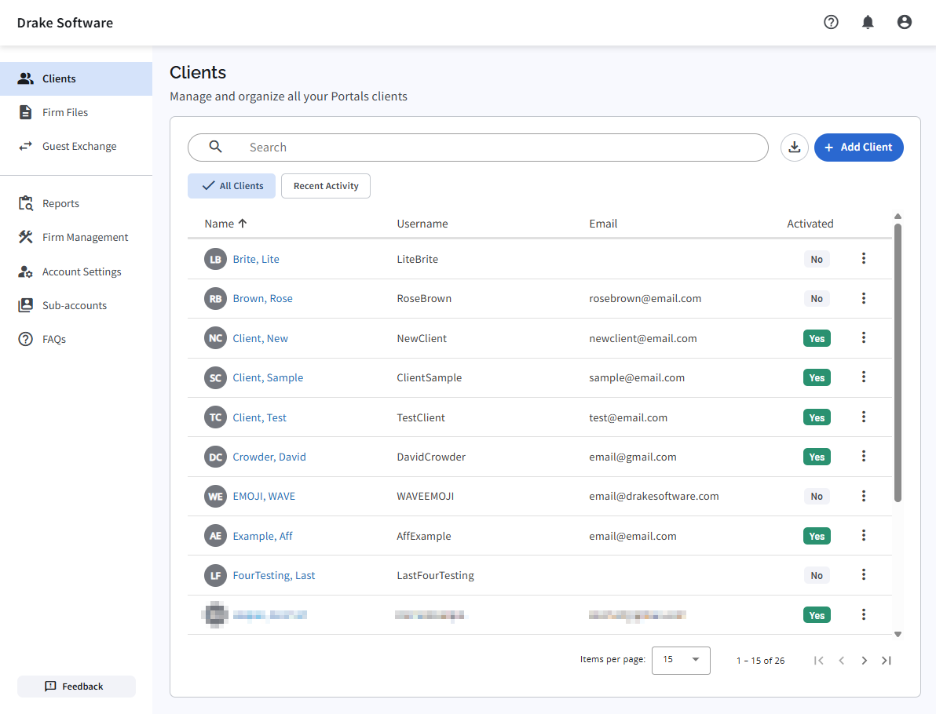
Getting where you need to go is now quicker than ever. The new left-hand sidebar provides instant access to your most important areas such as Clients, Firm Files, Guest Exchange, Reports, and Settings. Everything is right at your fingertips, reducing clicks.
Work More Efficiently with Drake Portals.
Sign up for our upcoming webinar to learn all about Drake Portals.
Your Client List, Rebuilt for Speed and Clarity
We’ve reimagined the client list to improve clarity and usability. A cleaner layout with better spacing makes information easier to scan, while new client avatars help you quickly identify records at a glance. Action menus have also been simplified, so common tasks are easier to access.
Searching and filtering have been upgraded as well, with a more prominent search bar and faster results so you can find exactly what you need with no delay.
Enhanced Notifications
See important updates the moment they happen without hunting for them.
The new notification panel in the top navigation gives you a real-time feed of activity across your workspace, including file uploads, client messages, and completed actions. Filters let you sort by type or date so you can zero in on what needs attention. When you’re done, clear individual alerts or remove all notifications in one click to keep your workspace organized and distraction-free.
You’ll instantly see updates like file uploads, messages, and completed actions. Notifications can be filtered by type or date, making it easier to focus on what matters most. Managing them is simple too. Just dismiss individual alerts or clear everything with a single click.
Simplified Client View
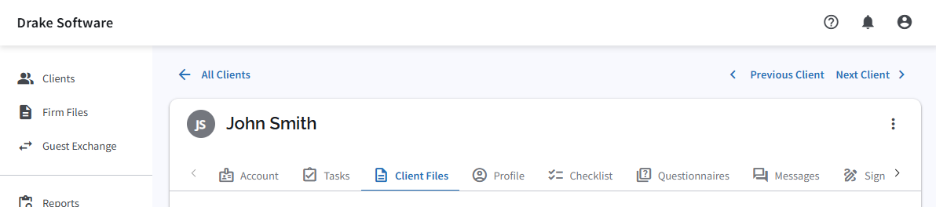
We’ve made navigating within a client record more intuitive. A cleaner tab layout featuring sections like Account, Tasks, Client Files, Profile, and Checklist. This keeps everything organized and easy to access. Moving between sections is now faster and more seamless.
Redesigned File Management
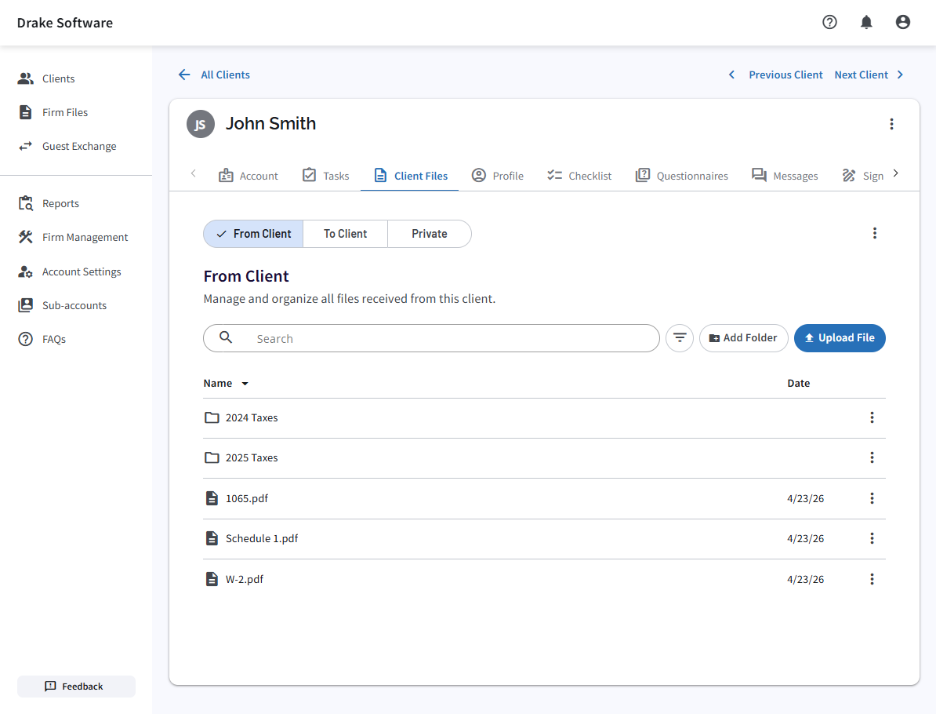
File handling has been completely refreshed to improve organization and visibility. Files are now grouped into clear categories: From Client, To Client, and Private, so you always know where to look.
You’ll also notice improved visibility into file details like names, dates, and statuses, making it easier to track and manage documents.
Uploading and organizing files is more efficient too, with clearly accessible “Add Folder” and “Upload File” buttons, plus a new drag-and-drop upload experience.
More Efficient Workflows
To help you move through your work faster, we’ve added quick navigation controls that let you jump between clients using Previous and Next buttons. It’s a small change that makes a big difference when working through multiple records.
These updates are all about reducing friction and helping you stay focused on what matters most. Explore the new features and see how they can simplify your workflow today.
To learn more, visit Drake Portals or register for our upcoming webinar about Drake Portals.